I'm lazy by nature and the less I have to type to get something working the better. This is what attracted me to HTML in the first place: meaningful tags reducing the need for div-itis. Adoption by the browser manufacturers seems to continue at their own pace (whatever that really means) and in the mean time something I expected to look like this:
screen shot of firefox 3.0.6
well lets just say, it just didn't. Not good...
So just to make sure I wasn't dreaming I validated the code using the friendly html 5 validator kindly provided and maintained by Henri Sivonen and Simon Pieters along with others of the html5 working group. Once the code was valid it was simple to indulge in some tests to prove the point.
In the interest of sharing with the web community I detail my tests below and ask am I doing something wrong? Is this a known issue or is this something that will just have to get solved in time by browser suppliers? Or should we land this at the door of the css working group and ask what they make of it?:
Test 1 - footer
html code:
<!DOCTYPE html>
<html>
<head>
<title>html5 footer tag based example</title>
<link href="html5-a1.css" type="text/css" rel="stylesheet">
</head>
<body>
<footer>
<p>&copy; Company Name Here 2009 </p><p>&bull; Built by <a href="http://crataegusdesign.co.uk/" title="Designer Portfolio">Crataegus Design</a> &bull;</p>
</footer>
</body>
</html>
css code:
footer {
margin:0 auto;
text-align:center;
border:1px solid black;
}
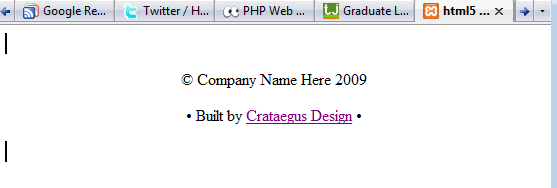
result:
test 1 result: screen shot from firefox 3.0.6
Not expected, therefore not good. So, does <p> not know to inherit css behaviour from <footer>? Of course styling the <p> might be a step towards getting the desired result?
Test 2 - footer + p
html code as above
css code:
footer p{
margin:0 auto;
text-align:center;
border:1px solid black;
}
Result - great? except that you will remember that this footer has two paragraphs:
test 2 screenshot from firefox 3.0.6
What happens if the footer has more lines of information? Does <section> suffer from the same problem? and is Firefox the only place the problem occurs?
Tune in next time to see more tales of unexpected output ...